
How to Complete Your Payment
Paying for your personal guitar feedback or coaching is simple.
For your first payment, there is a quick one-time setup. After that, future payments will be much faster.
Payments are processed through EasyStaff Invoice. You will enter your card details directly on their payment page.
During the setup or payment process, you may also see the EasyStaff Connect name or URL. This is part of the EasyStaff payment system and is normal.
Before You Start
Please make sure:
- You use your real first and last name
- Use a card issued in your own name
- Your card allows online/international payments
Important: Your name should match the name on your bank card or ID.
Step 1 — Complete the One-Time Setup
Open the invitation link I send you.
Enter:
First and last name
Use your real name exactly as it appears on your card or ID.
Email
Enter your email.
Country
Select your actual country. The payment screens may look slightly different depending on your country and card issuer.
Password
Create & confirm Password
Then click Become a customer.
This setup is required only for your first payment.
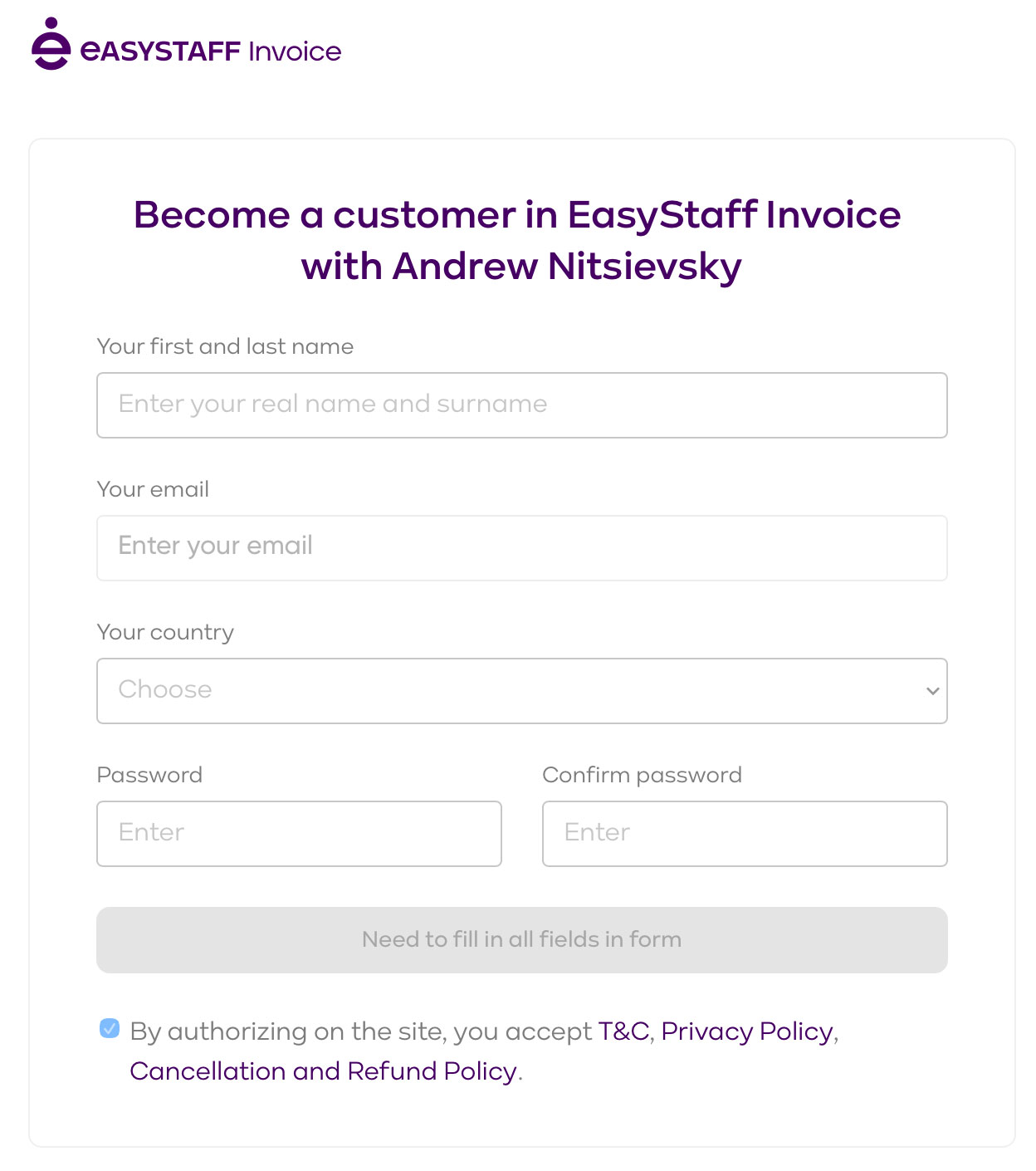
Example shown for a US customer. Always select your actual country.
Step 2 — Confirm Your Email
EasyStaff will send you a confirmation email.
Open it and confirm your email address.
If you don’t see the email, check your Spam / Junk folder. If it still doesn’t arrive, return to the previous page and click Send email again.
You may also be asked a few quick profile questions. Complete them and continue.
Step 3 — Open Your Invoice
I will send you your personal invoice.
Open the invoice and check:
- Service
- Amount
- Currency
Then click the card payment link inside the invoice.
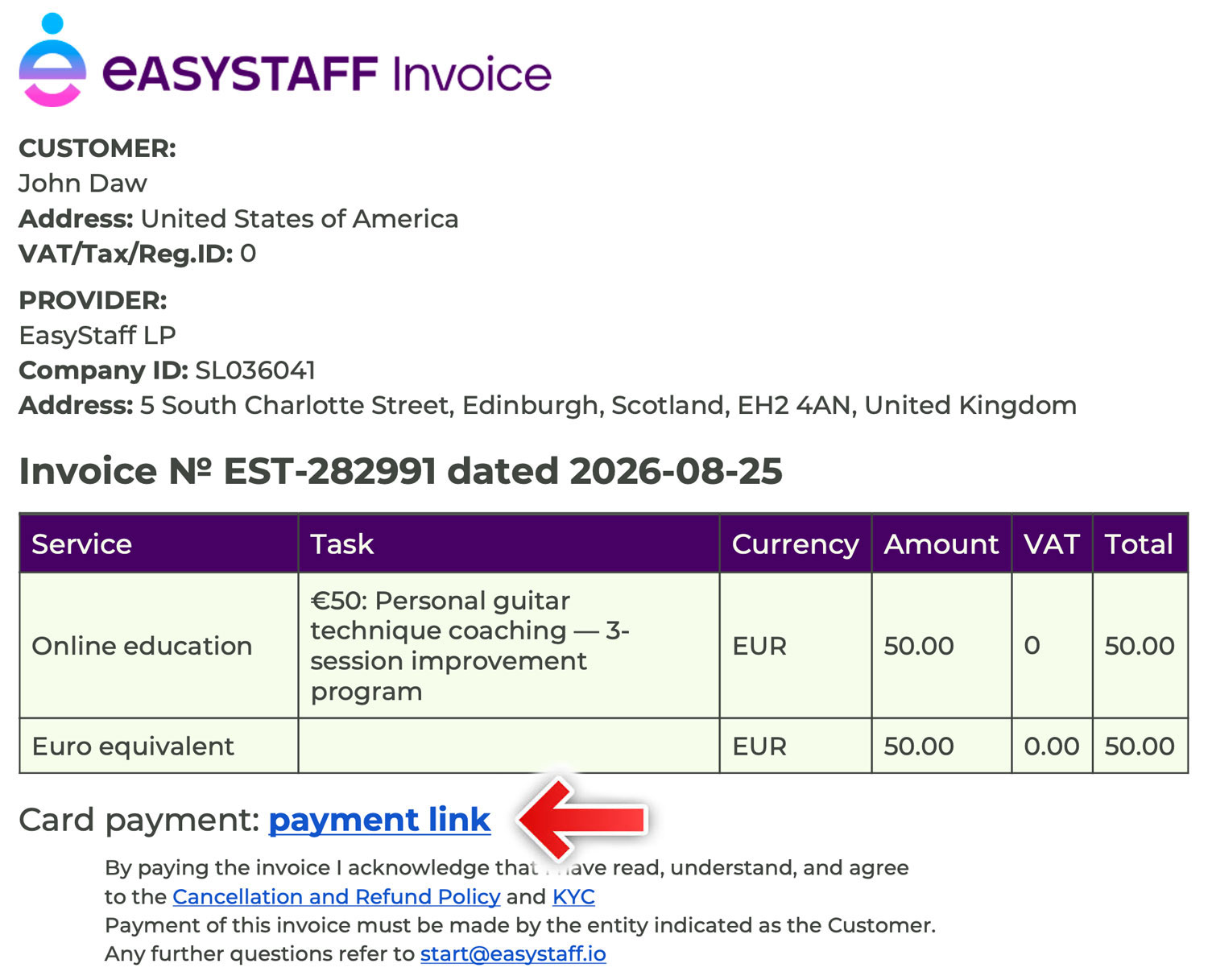
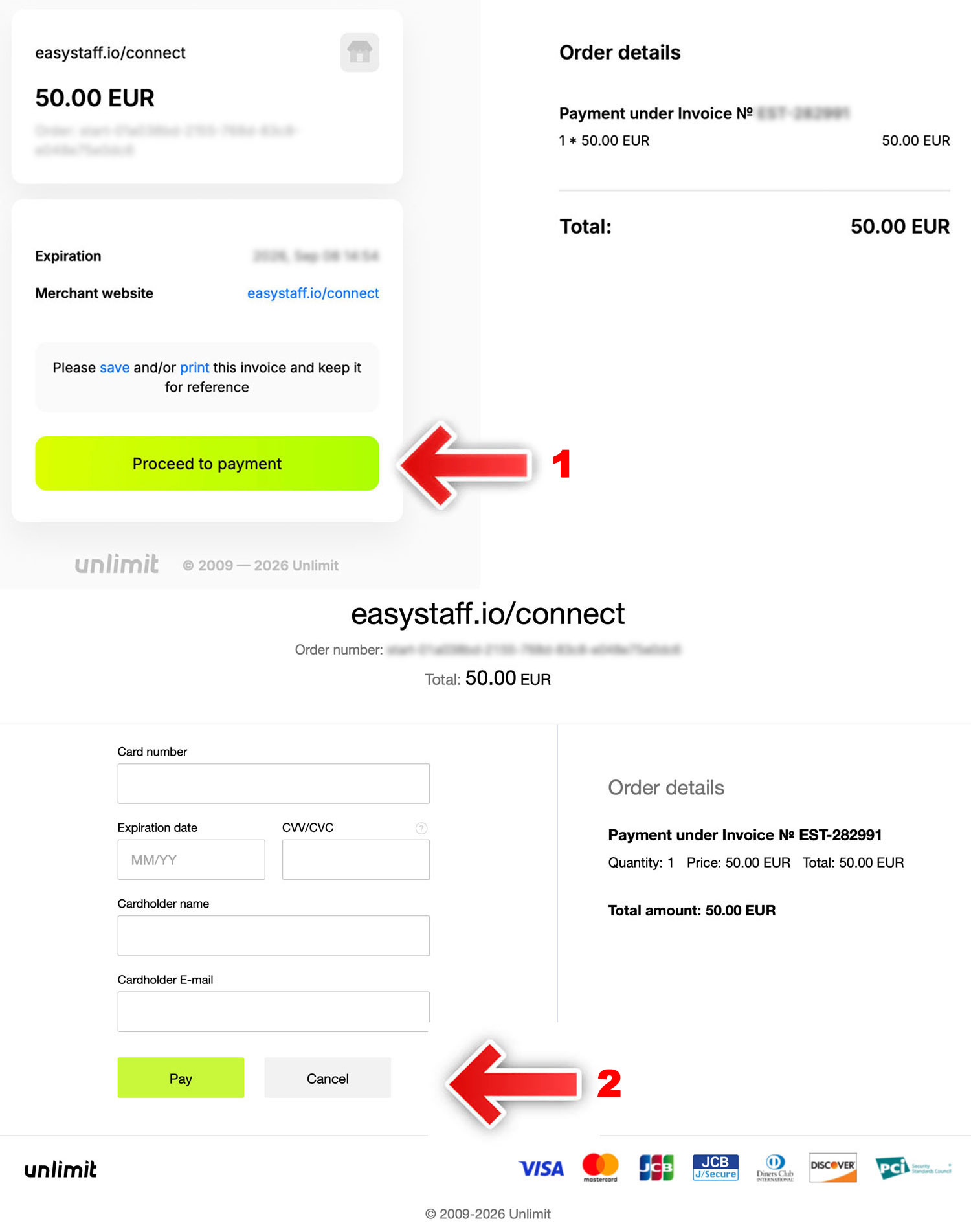
Step 4 — Pay by Card
You may see easystaff.io/connect on the payment screen. This is part of the EasyStaff payment system.
- Click “Proceed to payment” to open the secure card form.
- Then enter the card details requested on the payment page:
- Card number
- Expiration date
- CVV/CVC
- Cardholder name
Click Pay.
Your bank may then ask you to confirm the payment with an SMS code or through your banking app.
Payment screens may look slightly different depending on your country and card issuer.
That’s it.
Once the payment is completed, I’ll see the confirmation and we can start your personal feedback or coaching.
Having Trouble With the Payment?
Please don’t keep retrying the payment if you receive an error.
Take a screenshot of the error message and send it to me.
I’ll help you figure out what happened and, if necessary, offer another payment option.
Need Help?
If anything is unclear at any step, just message me and send a screenshot.
I’ll help you through it.
Andrew